Video Downloader & Launcher
- 4.1
- Rating
- 1.00M
- Installs
- Free
- Price

 Analysis by App-foxy
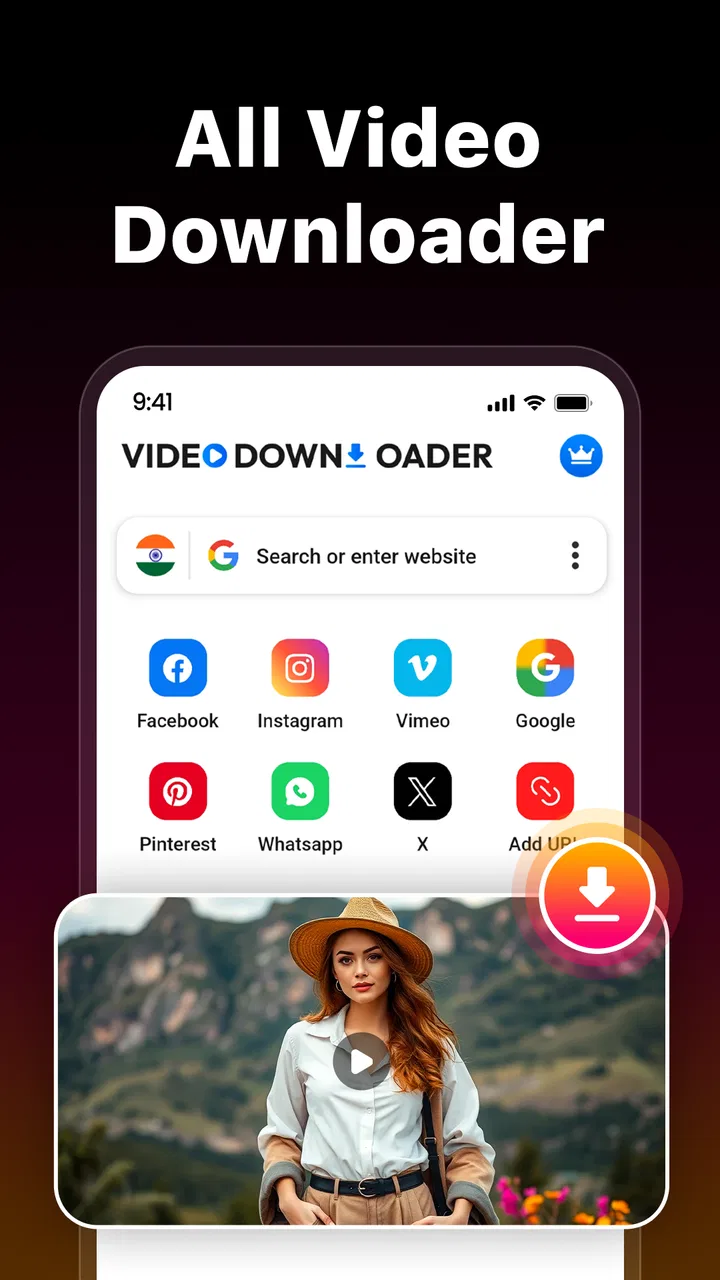
I approached Video Downloader & Launcher as a practical video utility rather than a full media platform. Its main appeal is straightforward: it combines a web proxy browser with tools for watching and downloading content, while keeping the experience focused on private browsing. That makes it interesting for people who want a separate place for video-related activity instead of relying entirely on their regular browser.
After spending time with it, my impression is mixed in a useful way. The app has a clear purpose, a free entry point, and enough flexibility to suit occasional downloads. At the same time, it is not automatically the best answer for every video task. The quality of the experience depends heavily on the websites you visit, the kind of content you want to save, and whether you prefer a simple downloader or a more complete video-management tool.
How the app fits into everyday video use
Video Downloader & Launcher belongs to the video players and editors category, although its strongest identity is closer to a private browsing and downloading utility than to an editor. I would not install it expecting trimming, filters, captions, or a timeline for producing finished videos. Its role is more limited and, for the right user, more useful: open content through its web proxy browser, watch it there, and download what the available workflow allows.
You May Also Like

 Blood Strike: 2.5 Anniversary
Blood Strike’s Loadouts Turn Every Drop Into a Tactical Gamble
A close look at Blood Strike’s custom loadouts: how fast access to signature weapons reshapes its battle royale rhythm, rewards preparation, and narrows the gap between fights.

 Pandora - Music & Podcasts
Pandora’s Music Is Easy to Start, but Harder to Recover
Pandora’s strength is its low-effort path from a seed to a station. Its weak spot is how much confidence it asks you to place in connection, setup, and quiet recovery.

 8 Ball Pool
 Is Built on Rivalries, Rematches, and Routine
A close look at the rivalries, rematches, shared routines, and unanswered safety questions that turn a quick pool match into a persistent mobile community.

 Samsung Music
’s Quiet Strength Is Playing What You Already Own
Its reach comes less from spectacle than from dependable access to a personal library. That simplicity is both the app’s strongest retention engine and its ceiling.

 AccuWeather: Weather Radar
AccuWeather Review: A Quick, Clear Forecast for Everyday Decisions
For everyday plans, the best forecast is the one you can understand quickly. AccuWeather makes rain timing, radar, and local conditions easy to act on, with a few trade-offs.

 Hill Climb Racing
Why Hill Climb Racing Still Turns Crashes Into One More Run
A tiny car, a bumpy hill and one more upgrade: Hill Climb Racing keeps resurfacing because its simple chaos makes every near-miss feel personal.
More From Our News Desk



That distinction matters because many people see “video downloader” and imagine a universal save button. Real websites do not all behave the same way. Some expose media in a way that is easy to handle, while others use protected players, changing page layouts, login requirements, or restrictions on saving. The app’s purpose is clear, but the result can still vary from one site to another. I found it more sensible to treat it as a convenient browser-based tool than as a guarantee that every online video can be stored locally.
The developer is Video Downloader & hubMate Apps, and the current release is version 1.7. It is available at no upfront cost, which makes testing the workflow relatively easy. There are in-app purchases priced at $5.99 per item, so the free starting point should not be confused with every possible part of the experience being free. I would check what a particular purchase unlocks inside the app before paying, especially if my needs were limited to occasional downloads.
The age classification is Everyone, and the app runs on devices using Android 8.0 or later. That gives it a fairly broad technical reach for people with older Android phones, although compatibility on paper does not tell me how smoothly every device will handle large video files or demanding web pages. Storage space, connection quality, and the behavior of the source website will still have a bigger effect on day-to-day results.
What the free starting point means
The free price is the most important reason to try this app before considering alternatives. I can evaluate the browser, test a familiar website, and see whether the download process suits my habits without committing money first. That is especially useful because downloader apps can feel very different in practice: one may make discovery easy but saving awkward, while another may be better at file handling but less comfortable for browsing.
Its public reception suggests that many people find the general idea worthwhile. The app has a 4.1 average from around 2.6 thousand ratings and has passed 1 million installs. I read those figures as evidence of interest rather than proof that every user will have the same experience. A downloader’s usefulness is unusually dependent on individual websites, phone storage, and personal expectations, so a broad user count cannot replace a short hands-on test.
The paid side needs a measured approach. At $5.99 per item, a purchase may be reasonable for someone who uses the app regularly and finds a clear improvement in their routine. For someone who downloads one clip now and then, the free access may already be enough, or the purchase may not justify the cost. I would avoid paying simply because a button is presented during an interrupted workflow; first I would confirm whether the feature solves a problem I actually have.
Where the app delivers practical value
The strongest benefit is the combination of browsing and downloading in one place. Instead of copying a page address into a separate service, switching between apps, and then trying to locate the resulting file, I can keep the discovery step and the saving step closer together. That reduces friction for simple tasks such as saving a useful tutorial for a trip, keeping a public reference clip for offline review, or collecting a video I need to revisit without repeatedly loading a web page.
The private browsing angle is also meaningful, but I would define it carefully. Using a proxy browser can separate this activity from my normal browsing history and routine, which is convenient when I want a dedicated video workspace. It should not be treated as a complete privacy solution for every situation. I would still avoid entering sensitive account details casually, review the page before downloading anything, and remember that privacy depends on the websites and network involved as well as the app itself.
One less obvious strength is workflow separation. I can use my ordinary browser for banking, messages, research, and daily tabs, while keeping video searches in this app. That makes sense for a shared device or for anyone who dislikes mixing temporary media searches with long-term browser history. It also creates a cleaner mental boundary: open the app when I am looking for something to watch or save, then return to my normal browser for everything else.
Another useful scenario is unreliable connectivity. If I know I will be somewhere with weak service, downloading suitable content beforehand can be more comfortable than depending on streaming later. The important word is “suitable.” I would only save material when the source allows it and when I have a legitimate reason to keep an offline copy. The app can simplify the technical step, but it does not change copyright rules or a site’s terms.
A realistic routine for using it
Imagine I am preparing for a long train journey. I find a public instructional video that I want to watch without relying on the journey’s connection. I open the app’s proxy browser, locate the page, watch enough to confirm that it is the right material, and then try the download option. Before leaving, I check that the file is actually available locally and that the phone has enough free space. That final check is easy to overlook and is more important than it sounds.
I would also organize the saved material immediately rather than treating the app as a permanent archive. If the file is useful for only one trip, I can remove it afterward. If it is something I need for work or study, I would move or back it up using my normal device tools where appropriate. This approach prevents a downloader from quietly becoming a cluttered storage cabinet full of unnamed clips.
For a student, the app could be handy when reviewing openly available demonstrations or lectures away from a stable connection. For a commuter, it may provide a simple way to prepare entertainment or reference material. For a family device, the Everyone age classification makes the app broadly accessible, but I would still supervise browsing and downloads because an age label does not guarantee that every website reached through a browser is suitable for every person.
Important tradeoffs before relying on it
The first limitation is source compatibility. A web proxy browser can make access more convenient, but it cannot guarantee that every embedded player, streaming service, or protected page will offer a downloadable file. If my main goal is saving content from a particular platform, I would test that platform during the free phase before building my routine around this app. A service’s own offline feature may be more dependable when it exists.
The second tradeoff is control. A dedicated file manager or a full media player may give me better sorting, playback settings, playlists, transfer tools, or format handling. Video Downloader & Launcher is more appealing when I value a compact browse-and-save path than when I need a carefully managed personal library. If I already have a strong browser and a reliable file-management system, the app may feel like an extra layer rather than a replacement.
There is also a privacy tradeoff in using a proxy-based browsing workflow. The feature may help keep video activity separate from my usual browser, but I would not use that as a reason to ignore ordinary security habits. I would be cautious with unfamiliar pages, avoid downloading suspicious files, and think before granting trust to content simply because it appears inside a dedicated app. Convenience should reduce steps, not reduce judgment.
Storage is another practical concern. Downloaded videos can consume space quickly, particularly when I save several high-quality files without reviewing them. The app may help me obtain content, but I still need a sensible cleanup routine. I would start with one test download, confirm where it appears, check playback, and then decide whether the workflow is worth repeating. That sequence is more reliable than filling the phone first and investigating later.
Network conditions can affect the experience as well. Browsing through an intermediary may feel slower than opening a page directly, especially on a weak connection or a busy site. If I am only watching a short clip once, streaming in my normal browser may be faster. The app becomes more attractive when the ability to prepare content for later use outweighs the extra step of downloading it.
Small habits that make the app more useful
My first tip is to verify the source before starting a download. I would watch a portion of the video, confirm the title and context, and make sure the page is not redirecting unexpectedly. This saves storage and avoids keeping a file that is incomplete, misleading, or unrelated to what I intended to save.
My second tip is to treat file confirmation as part of the download, not as an optional afterthought. I would check that the saved item opens correctly, has the expected length, and is visible through the phone’s normal media or file tools. A notification that a download finished is not enough if I cannot later find or play the result.
My third tip is to separate temporary downloads from important material. For temporary viewing, I would delete files after the trip or project. For anything valuable, I would use a clear naming and backup habit outside the app. This is a better long-term strategy than assuming a downloader is also a complete archive, especially when I may change phones or reorganize storage later.
A fourth insight is to test the app with the exact kind of content I care about. A successful download from one ordinary page tells me very little about a different site using another player or access method. I would test a short, legitimate example first, then try the longer or more important material. That small experiment gives me a more honest value assessment than relying on the app’s general description.
Who should use it and who should look elsewhere
I think the app is best for Android users who want a dedicated place to browse video pages and occasionally save permitted content for later. It suits people who prefer a simple workflow, want to keep video activity separate from their main browser, or need a free way to test whether a downloader fits their routine. The broad device support also helps users who are not running the newest Android hardware.
I would be more cautious recommending it to someone who expects universal compatibility, advanced library management, or professional editing. It is not the right choice for creating polished videos, managing a large collection with detailed metadata, or replacing an official subscription service’s offline mode. In those cases, a platform’s own download function, a dedicated media manager, or a proper editing app may be a better match.
Parents and shared-device users should also think beyond the Everyone label. The classification describes the app’s general age suitability, but the browser can lead to many kinds of online content. I would establish sensible browsing habits and discuss what should and should not be downloaded. The app makes access convenient; it does not remove the need for supervision or source awareness.
My verdict on paying or skipping
I would start with the free version and judge it against one specific need rather than installing it as a vague all-purpose solution. If it can open the sites I use, save the kind of videos I am allowed to keep, and make them easy to find later, it offers practical value without an upfront cost. That is a fair proposition for occasional users.
I would consider a $5.99 purchase only after the free workflow proved useful and the paid item clearly removed a recurring annoyance. The price can make sense for frequent users who depend on the app, but it is harder to justify for someone who downloads rarely or can already use an official offline option. Since purchases are charged per item, I would be especially deliberate about identifying what I am buying before confirming it.
Overall, I see Video Downloader & Launcher as a focused convenience tool, not a universal answer to online video. Its private proxy browser, free starting point, and combined browsing-and-saving workflow give it a credible place on an Android phone. The limitations are equally clear: website compatibility, storage management, privacy expectations, and the gap between downloading and editing all matter.
My recommendation is to try it when your need is specific and practical. Use it for legitimate offline preparation, test your preferred source first, confirm every saved file, and keep your expectations realistic. If that workflow matches your habits, the app can be genuinely handy. If you need guaranteed platform support, advanced media organization, or production tools, I would skip the purchase and choose a more specialized alternative.
FAQs for Video Downloader & Launcher
01What is Video Downloader & Launcher used for?
Video Downloader & Launcher is designed to help users access, organize, and play video content from supported sources in one place. Depending on the version and platform, it may include tools for saving videos for later viewing, launching media files, and managing downloaded content. Its exact capabilities depend on the source website, device permissions, and the app’s current policies.
02Can Video Downloader & Launcher download videos from any website?
No. The application may only support specific websites, media formats, or content providers. Some platforms block downloading through technical restrictions, account policies, or copyright protection, so a video may not always be available for saving. Before downloading, users should review the app’s supported services and make sure they have permission to save and use the content.
03Where are downloaded videos stored, and can they be watched offline?
Downloaded files are generally stored within the app or in a device folder selected by the application, depending on the operating system and available permissions. If the download completes successfully and the file is supported, it can usually be played without an internet connection. Storage space, file format compatibility, and access restrictions may affect offline playback.
04Is Video Downloader & Launcher safe to use?
The app should be downloaded only from a trusted official store or verified source, and users should check the developer information, ratings, privacy policy, and requested permissions before installing it. Avoid entering sensitive account details into unfamiliar screens. As with any downloader, be cautious with advertising links and downloaded files, particularly when content comes from unknown sources.
05Is Video Downloader & Launcher free, and does it contain advertisements?
Availability, pricing, and advertising can vary between Android and iOS versions and may change after updates. The basic download or playback features may be free, while additional tools could require a subscription or one-time purchase. Users should check the store listing for current in-app purchase details and review whether advertisements, usage limits, or premium restrictions apply.
Pros
- Supports downloading videos for offline playback.
- Simple interface makes finding download options quick.
- Includes a built-in launcher for convenient media access.
- Useful for saving videos when internet coverage is limited.
- Offers a practical alternative to streaming content repeatedly.
Cons
- Downloaded content may use considerable device storage.
- Some videos may be unavailable due to platform restrictions.
- Download speeds can vary depending on the source and network.
- The app may display advertisements during regular use.
- Users should verify copyright permissions before saving videos.

Video Downloader & Launcher
Gallery